Youtube is competitive and a creator needs to do everything in his power to stand out. Any youtuber will agree that a channel’s homepage is like the door of your home.
If you manage to create the curiosity for a viewer to visit your channel, the things that are displayed on the homepage will decide if the visitor stays, subscribes, watches other videos on your channel or leaves.
But we are not going to talk about the homepage as a whole. Rather we are going to focus on one of the very important elements which covers a big area of your channel homepage.
The ‘Youtube Banner Image’.
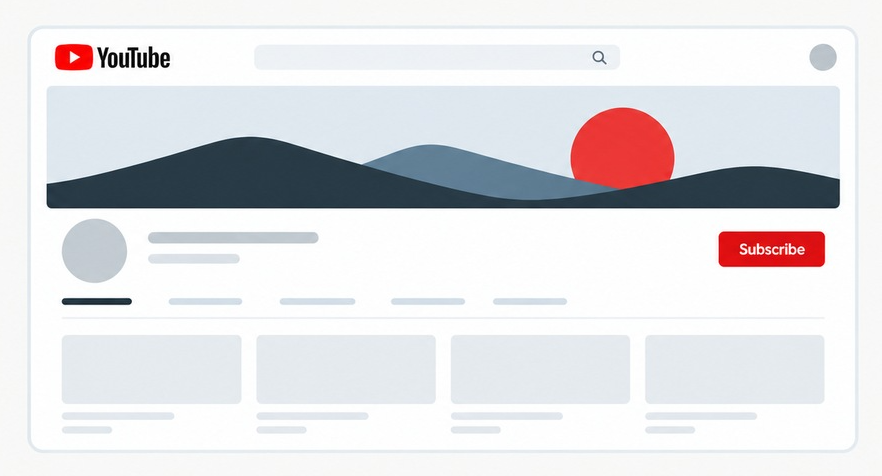
We are going to see what all things need to be taken care of and how can we create a perfect banner image for our respective channels.
Dimesnsions and Size of Banner Image:
When publishing online, image size and resolution is critical, as it determines whether your viewers see crisp, vibrant graphics or pixelated visuals.
Designing for YouTube requires accounting for responsive layout shifts across mobile apps, desktop browsers, and smart TV screens.
YouTube renders a single image file differently depending on the display hardware.
| Specs & Guidelines | Dimensions | Key Considerations |
| Recommended Upload Size | 2560 x 1440 px | Maximum total image bounds (displayed in full on TV screens) |
| Minimum Safe Area | 1235 x 338 px | Central core displayed across all mobile devices and desktops |
| Desktop Max Width | 2560 x 338 px | Extended horizontal space shown on wide desktop monitors |
| Aspect Ratio & ax File Size | 16:9 (6 MB or smaller) | Use PNG or non-animated GIF for best color fidelity |
“Pro Tip: Keep all vital typography, logos, callouts, and portraits strictly inside the 1235 x 338 px central safe area. Anything placed outside this zone risks getting cut off on smartphone screens, where over 60% of YouTube consumption occurs.“
What to Include in Your Banner Image
Your banner should act as a digital billboard for your content. Within seconds of landing on your page, a viewer should know exactly who you are, what you do, and why they should hit subscribe.
1. A Clear Value Proposition
Don’t just display your channel name and leave the rest blank. Include a short, punchy tagline that explains your niche.
If you run a data-driven creator blog or tech channel, a tagline like “Navigating the YouTube Ecosystem” or “Uncomplicating the Latest Tech” immediately tells the viewer what to expect.
2. High-Quality Imagery and Branding
Use high-resolution photos or crisp, scalable graphics. If you are a personality-driven channel, include a clean, professionally lit cutout of yourself making eye contact with the camera.
Ensure your color palette and typography align perfectly with your channel icon and video thumbnails to build instant, cohesive brand recognition.
3. Your Upload Schedule
\Consistency is a massive factor in growing an audience. If you have a set upload schedule, advertise it right in your banner (e.g., “New Videos Every Tuesday & Friday”).
This sets a clear expectation and gives casual viewers a concrete reason to subscribe so they don’t miss the next upload.
4. Strategic Calls-to-Action (CTAs)
If you have a newsletter, a standalone website, or other social media profiles, your channel banner is the place to drive that traffic.
Keep in mind that YouTube allows you to add clickable links to the lower-right corner of your banner on the desktop layout.
Design your banner with a subtle graphical element, like an arrow or a “Follow Me” text block, directing viewers’ eyes toward those external links.
The Best Tools for the Job
You do not need a degree in graphic design to make a stunning banner. Several tools cater specifically to content creators:
- Canva: The most accessible and popular option. It offers pre-sized YouTube banner templates with the safe zones already factored in, plus thousands of fonts and stock graphics.
- Adobe Photoshop: Best for creators who want granular control over masking, color grading, and layer blending. You can easily find free PSD templates online with the 1235 x 338 safe zone pre-marked.
- Figma: A powerful, free alternative that is entirely browser-based. It is fantastic for vector graphics and precise, snap-to-grid layouts.
A Final Check Before You Publish
Once you have designed your banner, upload it via the “Customization” tab inside YouTube Studio.
Before you hit the final “Publish” button, YouTube provides a preview window showing exactly how the image will render on TV, desktop, and mobile devices.
Pay close attention to that “All Devices” view. If your tagline, schedule, or face is clipping the edges, cancel the upload, go back to your editing software, scale those critical elements down, and recenter them in the safe zone.
Your banner is a piece of prime digital real estate that can convert a casual click into a long-term subscriber, take the time to get it exactly right.
TubeRover Bonus Insight:
The TubeRover Editorial team went through 5 most subscribed youtube channels and their banner images. We found the following:
- Dynamic Billboards: Media giants like T-Series and SET India treat the banner as dynamic ad space, actively promoting upcoming premieres and latest releases with dates and CTAs.
- Evergreen Brand Anchors: Creator and animation giants focus purely on brand identity. MrBeast uses ultra-minimalism with a witty call-to-action, while Cocomelon and Vlad and Niki rely on vibrant, character-led visuals for instant audience recognition.





Whether you treat your banner as a promotional billboard or an identity anchor, tailor it directly to your channel’s release strategy.